Time blocking is a simple way to visualize your day. Instead of working from one long to-do list, you assign tasks, appointments, and even routines to specific windows of time on a schedule. This makes it easier to see what can realistically fit into a day and where you may need to leave room for travel time, breaks and unexpected appointments.
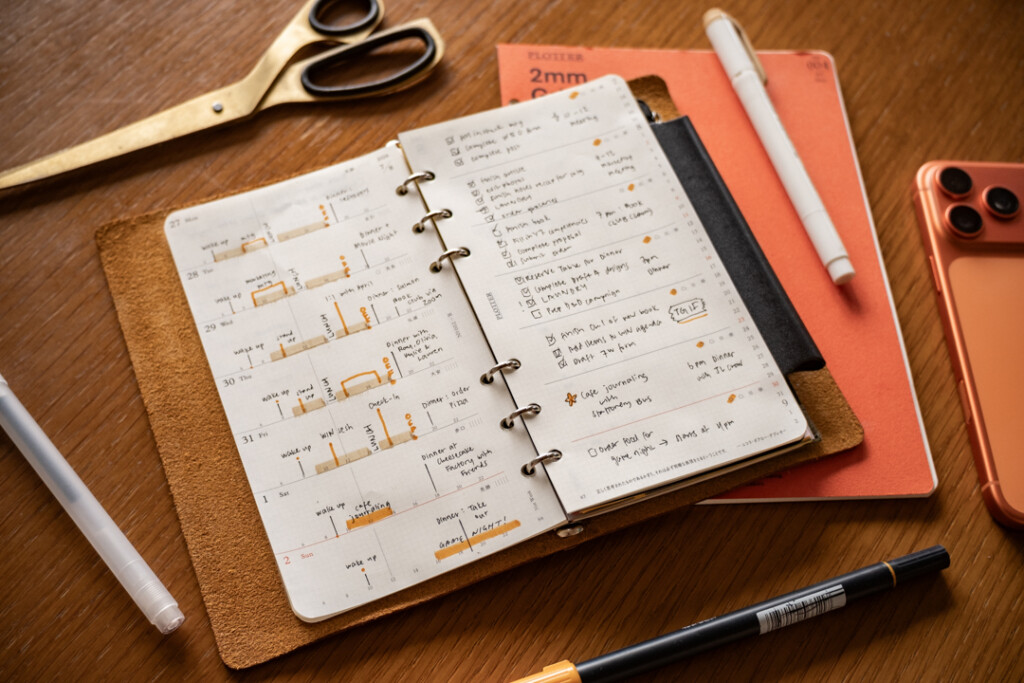
The PLOTTER Weekly Schedule Refill is a canvas that you can use for time blocking. While most schedules with hourly timelines use a vertical layout, PLOTTER places each day on a horizontal timeline. The result is a compact overview that lets you visualize you entire week while leaving space for other notes, to-do lists and events.
A Horizontal View of Your Day
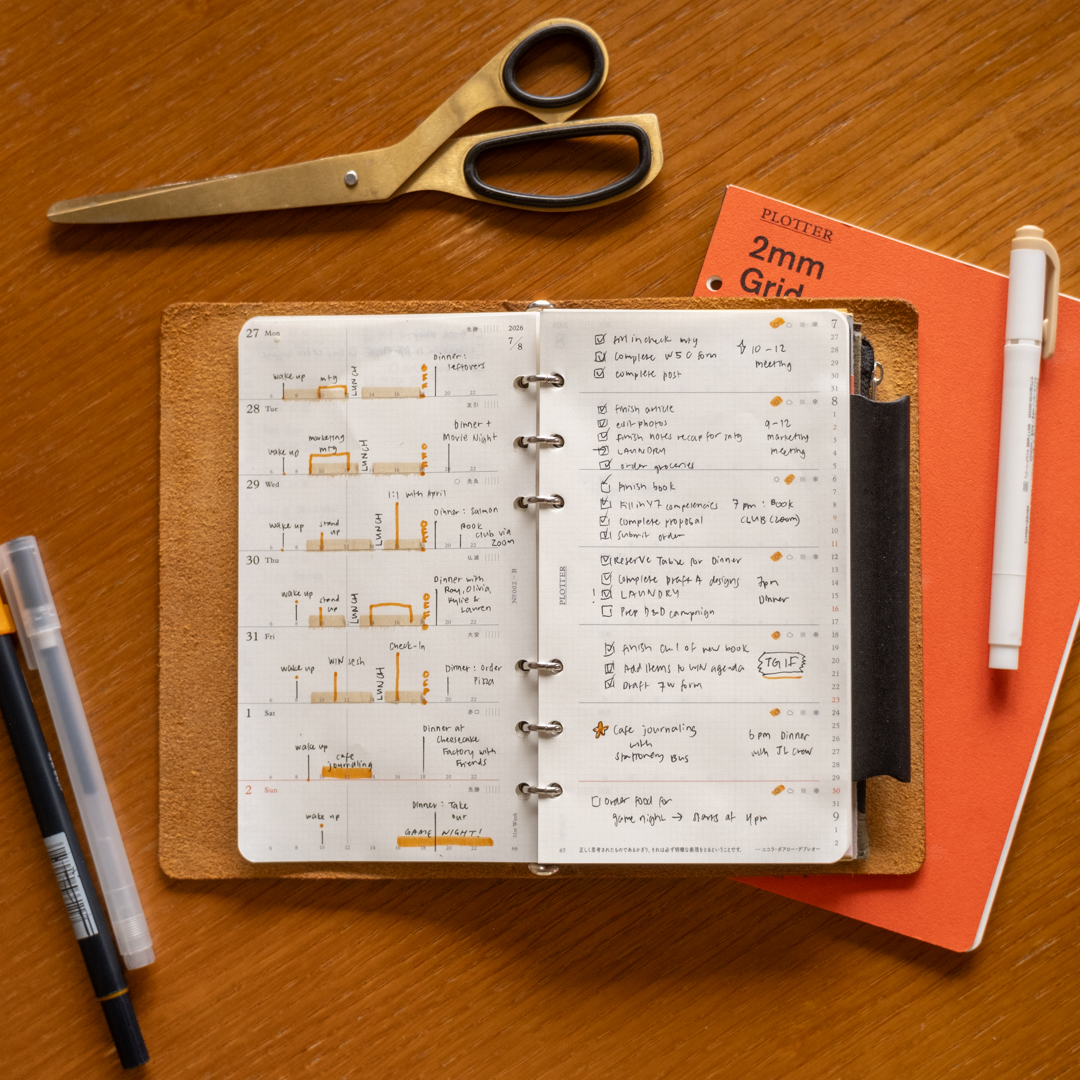
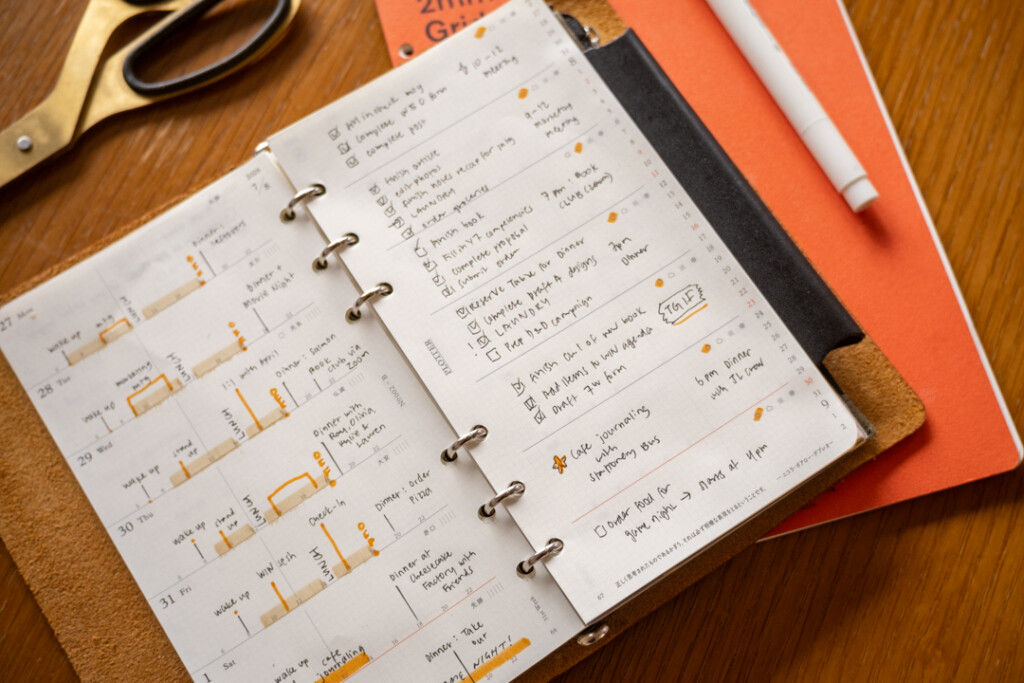
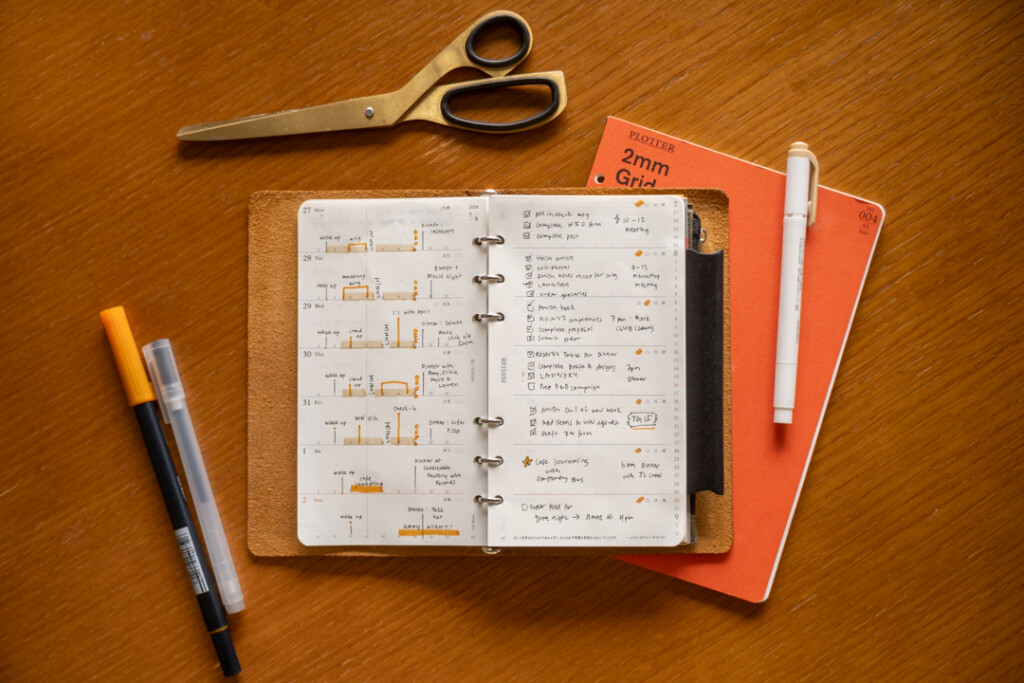
On the PLOTTER Weekly Schedule Refill, the days of the week appear in individual sections across the whole two-day spread. Each day includes a timeline that runs horizontally across the left page. Since all seven days are stacked together on a page, you can quickly compare how your time is distributed throughout the week.
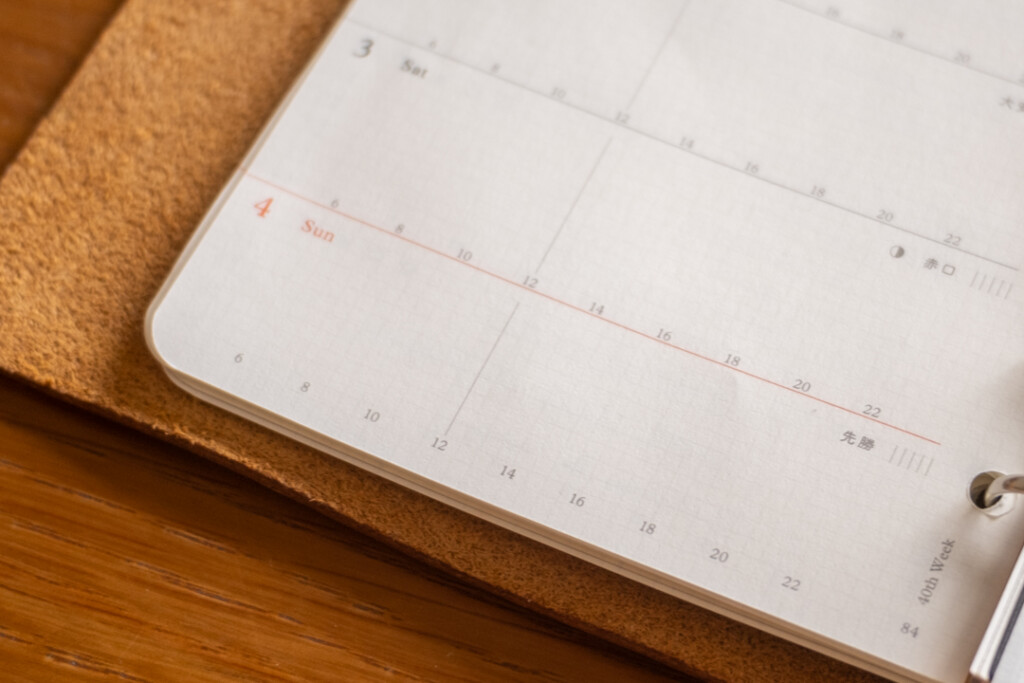
The hours are printed in 24-hour format, removing any confusion between AM and PM and the labeled times are shown in two-hour increments. The subtle grid on the refill with four grid spaces between each indicated time, so you can plan in one-hour or even 30-minute increments. This gives you a structure to map out your day, even in a compact horizontal timeline.
Turn Commitments into Visible Blocks
To start time blocking on your PLOTTER Weekly Schedule Refill, begin by marking the parts of your schedule that are fixed like reoccurring meetings, appointments, commutes, meals, or classes. Marking these commitments first reveals the open spaces available for focused work or personal tasks.
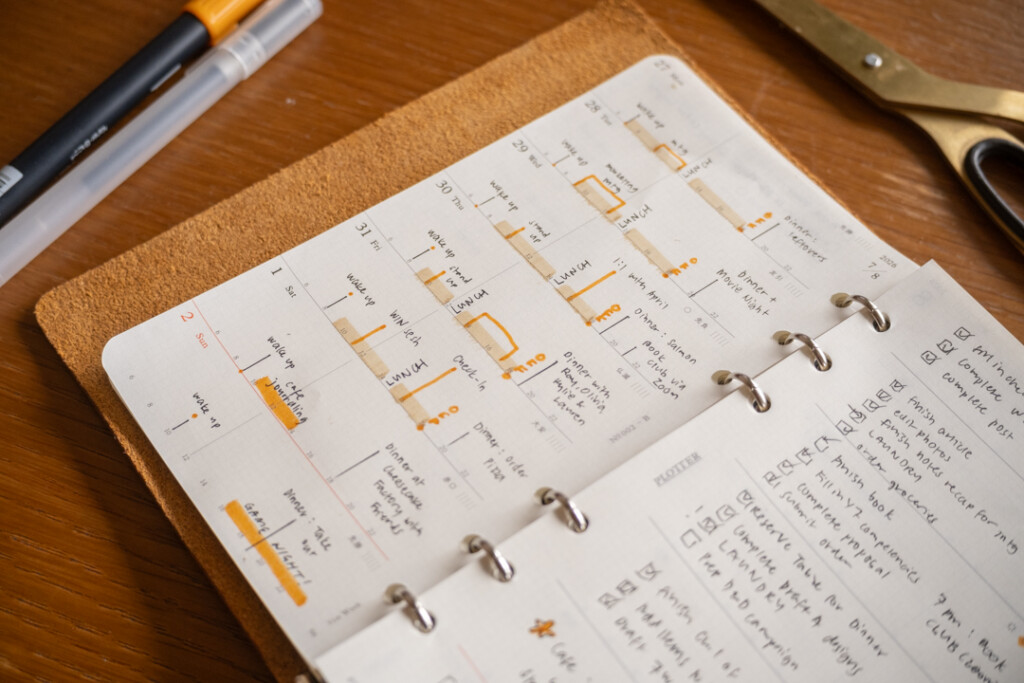
The example spreads use orange and beige highlighters to create clear blocks of time. A thin line can mark a short event, while a longer highlighted area can represent a work session, outings or longer appointments (in this example, highlighted in beige). Handwritten labels above or beside each block make the schedule easy to scan without covering the printed timeline.
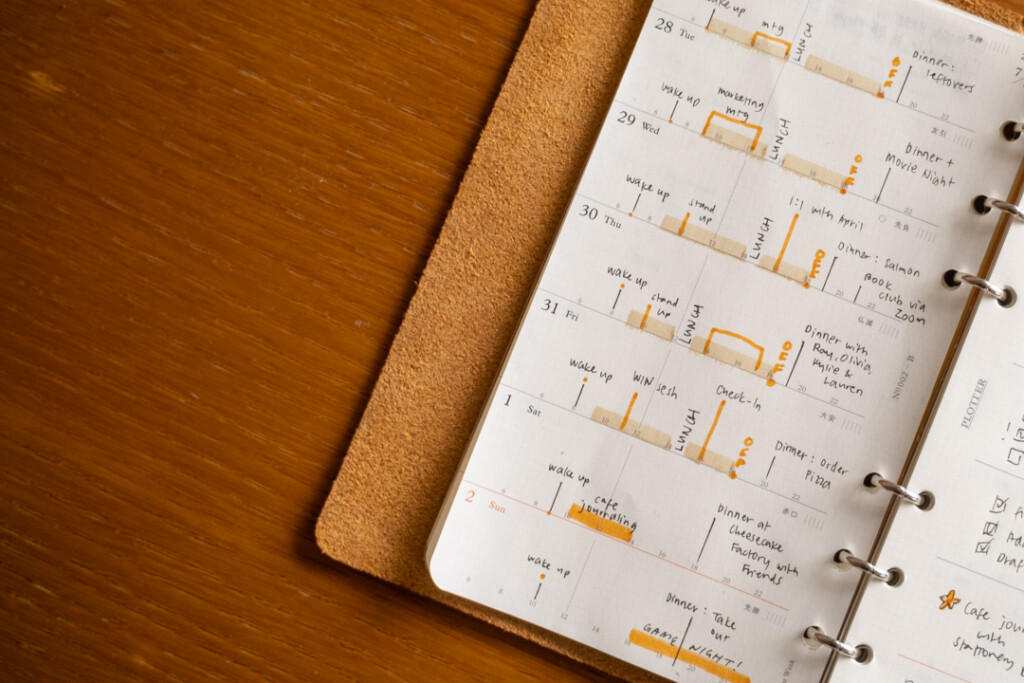
You can also create a simple visual language for your week:
- Use one color for fixed appointments (beige) and another to highlight important meetings or appointments (orange).
- Draw a narrow line for short events and highlight block for longer appointments.
- Add dots or small icons for recurring routines and personal reminders.
- Leave unmarked space between commitments to account for transitions and breaks.
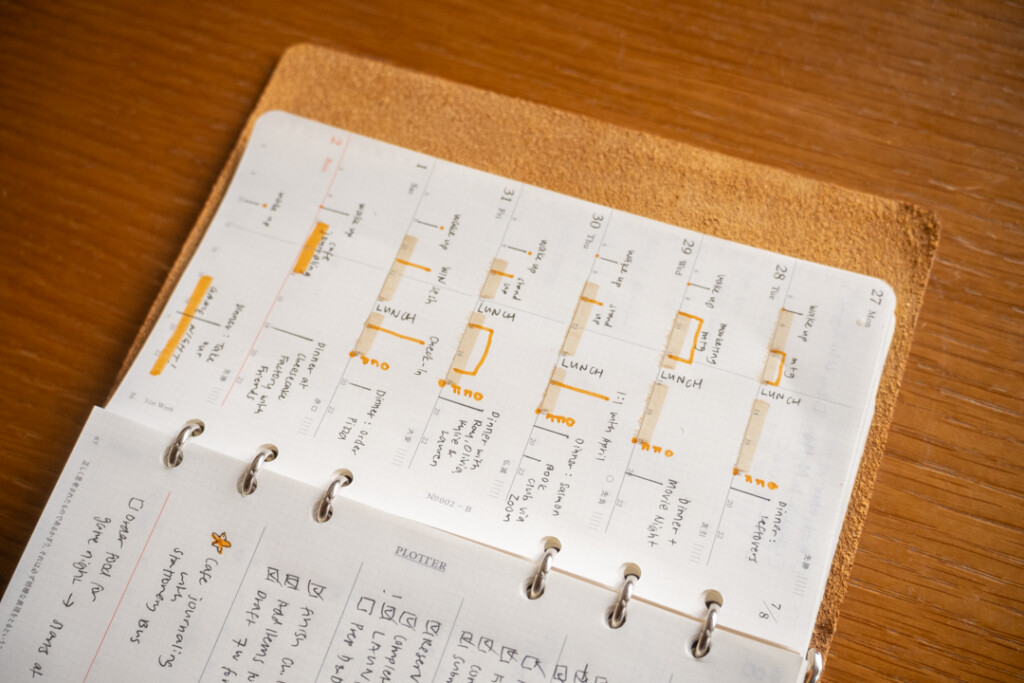
You do not need an elaborate color-coding system to time block on the Weekly Schedule. Even using your pen and simple lines to block appointments and events can suffice.
A Place for Important Details and Tasks
One of the most useful features of the PLOTTER Weekly Schedule Refill is the relationship between the timeline page (left page) and the facing page (right page).
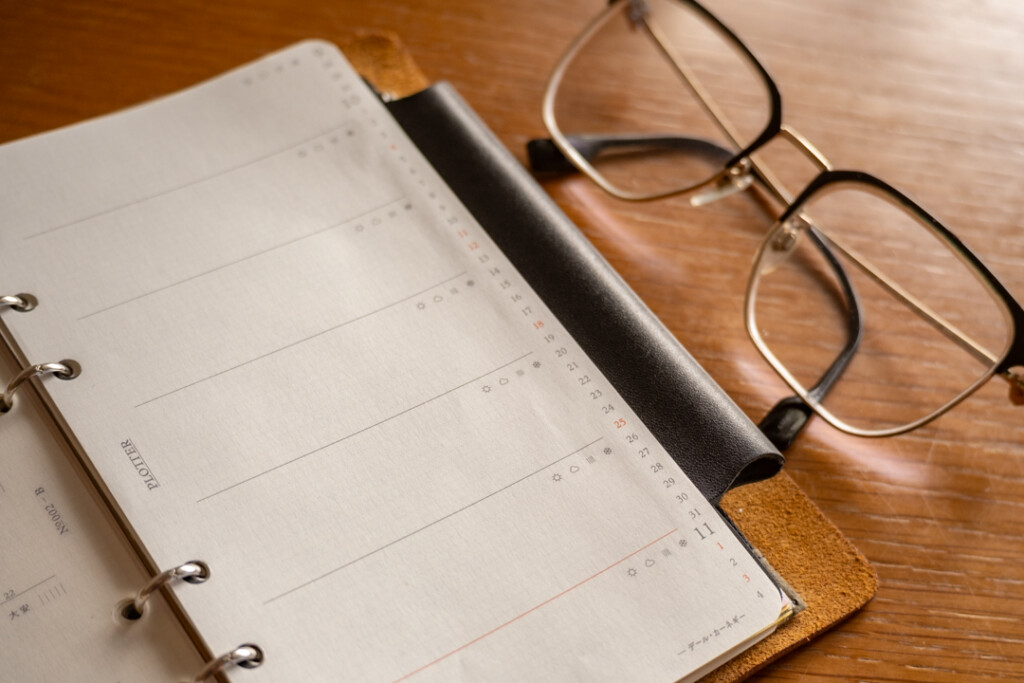
Use the left page timeline to reserve time for focused work, errands, meals, and appointments. Then use the corresponding area on the facing page (right page) for task lists, details, reminders, or preparation notes. In the example spread, checkboxes organize actionable tasks while short notes capture dinner plans and other events. This keeps the timeline readable while giving important events, tasks or commitments in further context.
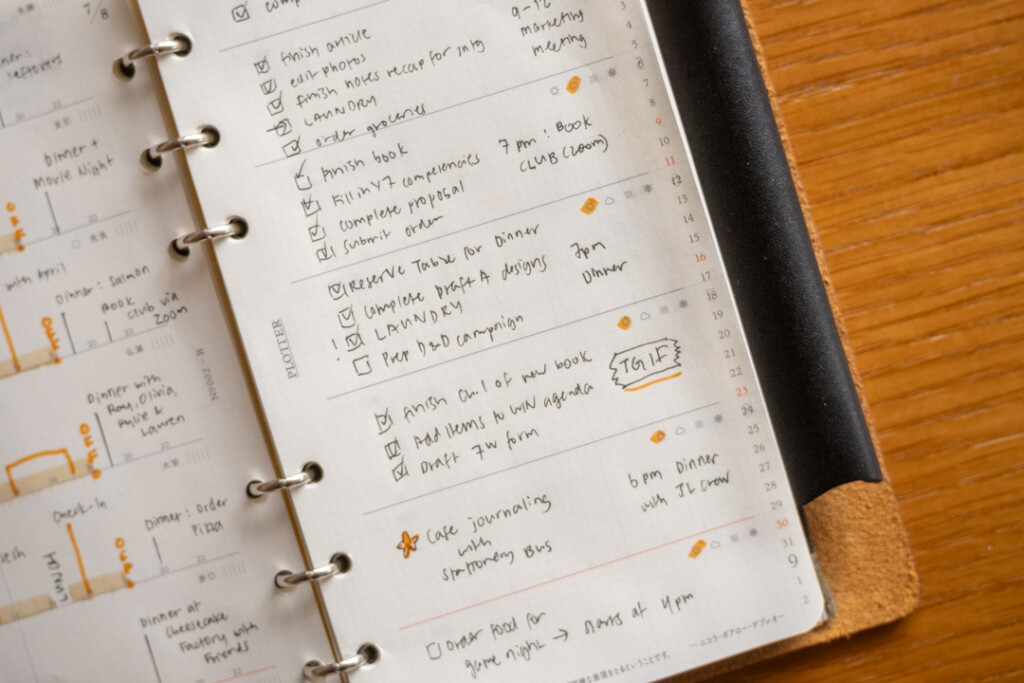
The facing page can also hold:
- A short list of daily priorities
- Notes or materials needed for a meeting
- Meal plans and dinner reservations
- Follow-up tasks connected to an appointment
- Reminders that do not require a specific time
- A small end-of-day reflection
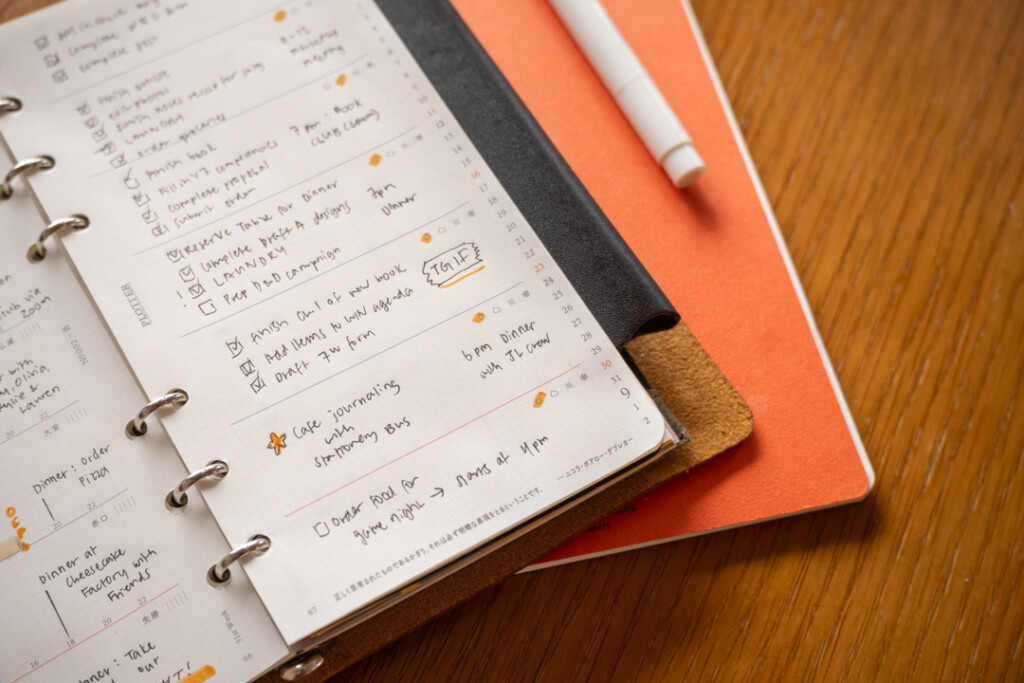
Each daily section also includes weather icons on the facing page. Mark the forecast as you plan, or use the icons later to record the day’s conditions. This small detail can be especially helpful when scheduling travel, outdoor errands, what to wear, or what to bring with you.
Review the Shape of Your Week
At the end of the week, your filled weekly spread can show you how you actually used your time. You may notice that certain tasks need longer blocks, that meetings cluster on particular days, or that you work better when focused sessions are separated by breaks.
Since PLOTTER refills can be removed and rearranged within your Leather Binder, completed weekly spreads can also become a useful planning archive. Review past weeks when estimating timelines for similar projects, preparing a recurring event, or adjusting your routines based on what your general workflow has been over the past month. Over time, your schedule can help you recognize patterns which can allow you to fine-tune your planning system that better matches the way you work.
See Your Time Differently
Time blocking is not about accounting for every minute of your day. It is about making your priorities visible. With a clear view of both your commitments and the time you have open in front of you, the PLOTTER Weekly Schedule Refill helps you plan with intention so you can feel in control of your time and commitments, not the other way around.
PLOTTER 2027 Weekly Schedule Refills come in A5, Bible, Narrow and Mini Size.